
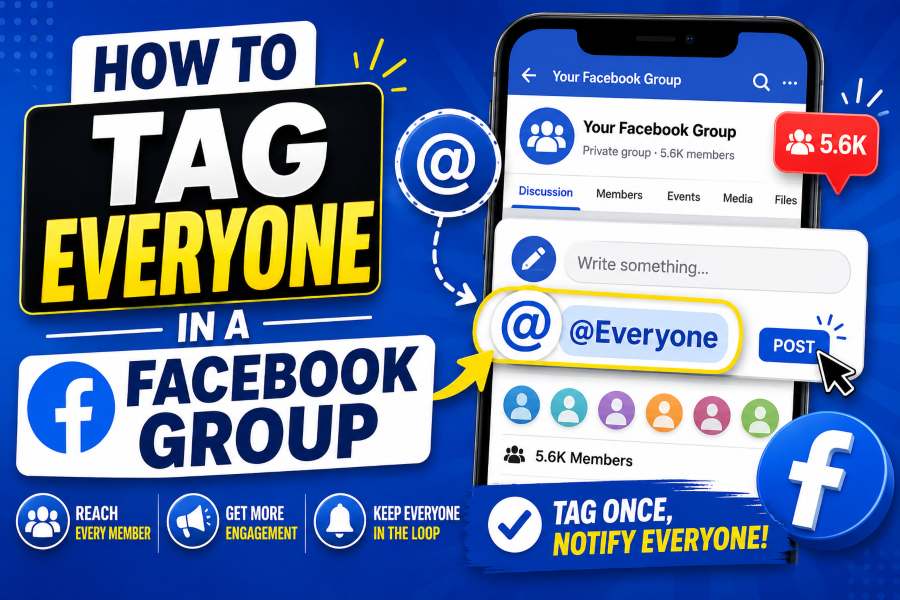
Facebook Groups help communities share announcements, event updates, rule changes, and urgent notices. Still, important posts can be missed, so many adminswant to know how to tag everyone in a Facebook group.
The quickest option is Facebook’s @everyone batch mention. When the feature is available, an admin or moderator can type @everyone in a group post or comment, select the suggested mention, and publish the message. Facebook says this feature is available in some groups and is intended for admins and moderators. de explains how to use it, why it may not work, and how to avoid spamming members.
Quick Answer
To tag everyone in a Facebook Group, you generally need to be an admin or moderator. Open a new group post or comment, type @everyone, choose the matching suggestion, finish your message, and publish it. If no suggestion appears, your role or group may not support the feature, you may have reached a usage limit, or Facebook may not have made the option available to that group. Does Tagging Everyone in a Facebook Group Mean?
Tagging everyone means using one batch mention to draw the group’s attention to a post or comment instead of mentioning members one by one. Facebook classifies @everyone as a batch mention, alongside other mentions such as @followers, @attendees, and @highlight. For Facebook Groups, @everyone is the option designed to help admins update group members. ion does not add people, reveal private content, or change the post’s audience. Only people who already have permission can access it. A member may still miss the alert because of notification settings, limits, blocking, audience restrictions, or Facebook’s ranking system. an Use the @everyone Tag?
In most cases, only a Facebook Group admin or moderator can use @everyone. A regular member may post and comment but still cannot notify the entire group.
The feature is also not guaranteed to appear in every group. Meta notes that some groups may not support batch mentions, particularly when a group is too large. Usage limits may also apply to prevent repeated or spam-like notifications. o Tag Everyone in a Facebook Group on Desktop
Follow these steps on a computer:
- Sign in to Facebook.
- Open Groups and select the group you manage.
- Create a new post or open a post where you want to leave a comment.
- Type
@everyone. - Select @everyone from the suggestion list.
- Complete your announcement.
- Click Post or submit the comment.
The selection step is important. If you type @everyone but do not select Facebook’s suggestion, it may remain ordinary text rather than an active batch mention. Meta’s official instructions say to begin typing the mention and choose it from the dropdown suggestions. announcement could read:
“@everyone Our monthly community meeting starts Friday at 7:00 p.m. Please review the agenda before joining.”
How to Tag Everyone in a Facebook Group on Mobile
The process is similar in the Facebook app:
- Open Facebook on your Android phone or iPhone.
- Tap Menu, then open Groups.
- Select the group you administer or moderate.
- Tap the post box or open a comment field.
- Type
@everyone. - Tap the suggested @everyone mention.
- Add your message and tap Post.
Can You Tag Everyone in a Group Comment?
Yes. Facebook’s Help Center describes @everyone as a mention that eligible admins and moderators can use in either a group post or comment. t mention is useful for a deadline change, corrected link, or important follow-up. For a major announcement, a new post is usually easier to find.
Why Is @everyone Not Working?
Several issues can prevent the mention from appearing or working correctly.
You Are Not an Admin or Moderator
This is the most common reason. Facebook generally reserves the group-wide batch mention for admins and moderators. Being the author of a post does not automatically give you access.
The Feature Is Unavailable in Your Group
Facebook says @everyone works only in some groups. Your group may not have access yet, or its size and configuration may make it ineligible.
You Reached a Usage Limit
Facebook limits batch mentions to reduce spam and overuse. The platform does not publish one universal limit for every group. If you used the feature recently, wait before trying again.
Members Turned Off Batch Mentions
Facebook lets users disable batch-mention notifications. It may also allow them to disable these alerts for a specific group. A valid tag therefore does not guarantee that every member will be notified. book Did Not Prioritize the Notification
Meta says its notification system may decide whether and how to display a batch-mention alert. People may also stop receiving alerts after receiving too many batch mentions in one day. Did Not Select the Suggestion
Delete the plain text, type @everyone again, and select the dropdown result. If no result appears, your role, group, or account may not currently support it.
Your App or Browser Needs Attention
Update the Facebook app, reload the page, sign out and back in, clear your browser cache, or test another supported browser. These steps may fix a temporary interface problem.
How to Use @everyone Without Spamming Members
The feature should be saved for information that affects most of the community. Frequent unnecessary mentions can encourage members to mute notifications, ignore future announcements, or leave the group.
Appropriate uses include:
- Major group-rule changes
- Event cancellations or schedule updates
- Registration and voting deadlines
- Safety or security notices
- Important community-wide announcements
- Urgent changes affecting most members
Avoid using it for daily promotions, casual greetings, personal requests, repeated sales posts, or content relevant to only a few people.
Before publishing, ask: “Would most members reasonably want a notification about this?” If the answer is no, publish without @everyone or tag only the people involved.
A strong announcement should explain the alert, date or change, required action, and relevant link.
For example:
“@everyone Registration for Saturday’s workshop closes tomorrow at 5:00 p.m. Complete the form below. Members who already registered do not need to submit it again.”
Alternatives When You Cannot Tag Everyone
When the batch mention is unavailable, use a combination of less intrusive options:
- Create a clear announcement and feature or pin it.
- Schedule reminder posts at reasonable intervals.
- Create a Facebook event for meetings or activities.
- Tag only the members responsible for a task.
- Ask members to enable important group notifications.
- Add recurring information to guides, files, or featured posts.
Inviting people is different from notifying current members. Invitations help people join; @everyone alerts members who can already see the post. owser scripts, suspicious extensions, or automation services that promise to tag every member individually. They can create security risks, look like spam, and damage the member experience.
How Members Can Turn Off @everyone Notifications
Members can control batch mentions from Facebook’s notification settings. On desktop, Meta directs users to open Settings & privacy, choose Settings, select Notifications, open Tags, and turn off Batch mentions. @everyone Notify Every Member?
No. It is designed to alert group members, but delivery is not guaranteed.
A member may not receive the notification when:
- They cannot view the original post.
- They disabled batch mentions.
- They blocked the person who posted.
- They received too many batch mentions.
- Facebook’s system does not prioritize the alert.
Meta confirms that visibility, user preferences, blocking, notification volume, and its notification system can affect delivery. gency, legal, financial, or safety-critical messages, do not rely on one Facebook tag. Use email, phone, text messaging, or another approved channel where delivery can be confirmed.
Frequently Asked Questions
Can a regular member tag everyone in a Facebook Group?
Usually not. Facebook generally limits @everyone to group admins and moderators.
Can I use @everyone in a private group?
It may be available, but it does not change the group’s privacy. Only people who can already see the post can access the mentioned content. does @everyone appear as plain text?
You may not have selected the suggestion, may not have the required role, or the feature may be unavailable in that group.
How often can I use @everyone?
Facebook applies anti-spam limits but does not give one public frequency that applies to every account and group. Use it sparingly. members stop receiving these alerts?
Yes. Members can disable batch mentions in Facebook’s notification settings. everyone the same as manually tagging every member?
No. @everyone is one batch mention. Manually selecting names creates individual mentions and is not practical for a large community.
Final Thoughts
To tag everyone in a Facebook Group, open a group you manage, create a post or comment, type @everyone, select the suggested mention, and publish a clear announcement. Remember that the feature may not be available in every group and does not guarantee a notification for every member.
Use it only when the information genuinely affects most of the community. Clear, limited, and relevant alerts are more likely to earn attention than frequent promotional tags.
Browsiofy organizes public social viewer-tool categories for Facebook and other platforms in one browser-based hub. It focuses on publicly available content and does not claim to access private or restricted accounts. can also be converted into a WordPress-ready HTML version with FAQ schema and internal-link placeholders.